Fill job applications in one click.
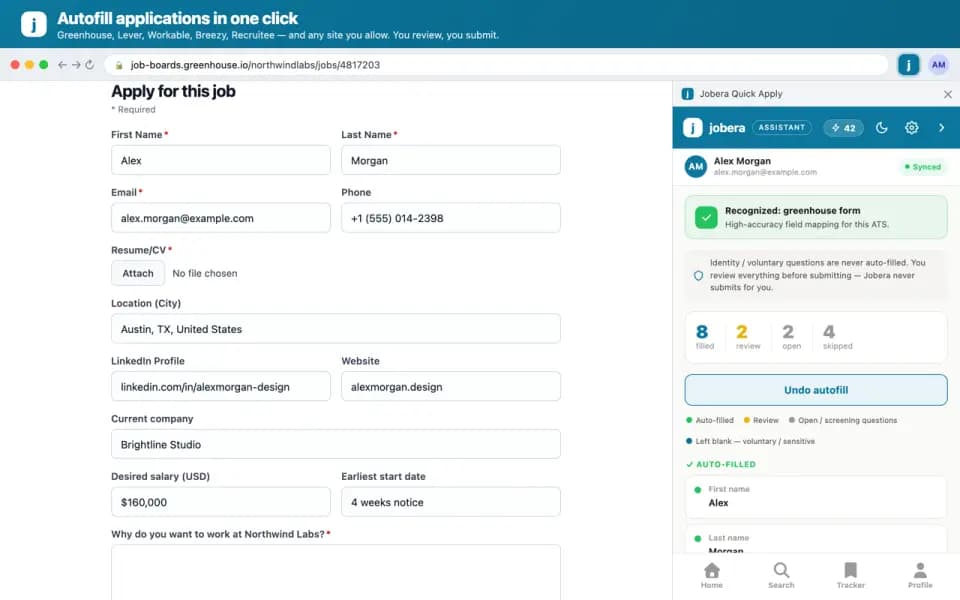
Jobera Quick Apply opens in a side panel next to any application form. It fills the form from your profile, shows how well you match, and saves the job to your tracker. You review everything and click Submit yourself.
- Free
- Chrome, Edge & Brave on desktop
- Never submits for you
What you get with Jobera Quick Apply
Autofill from your profile
Name, contact details, location, links, work history, notice period, work authorization and salary expectations, filled in from your saved profile.
Built for the big ATS platforms
High-accuracy filling on Greenhouse, Lever, Workable, Breezy HR and Recruitee. On other career sites it works in best-effort mode once you allow access.
Review first, undo anytime
See every field as filled, needs review, open question or left blank on purpose, and undo the autofill in one click.
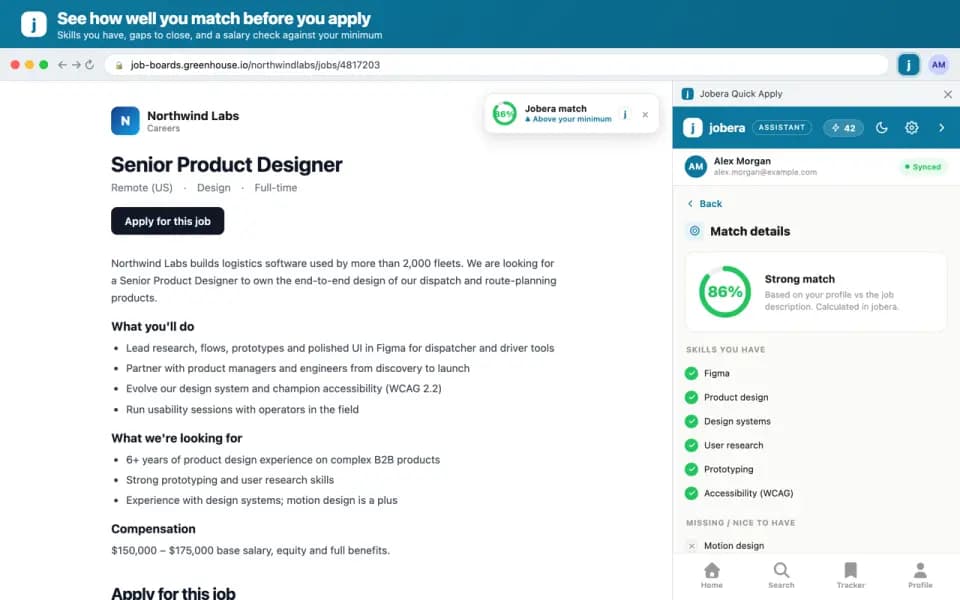
Match score before you apply
See the skills you have, the skills you are missing and a salary signal for the posting.
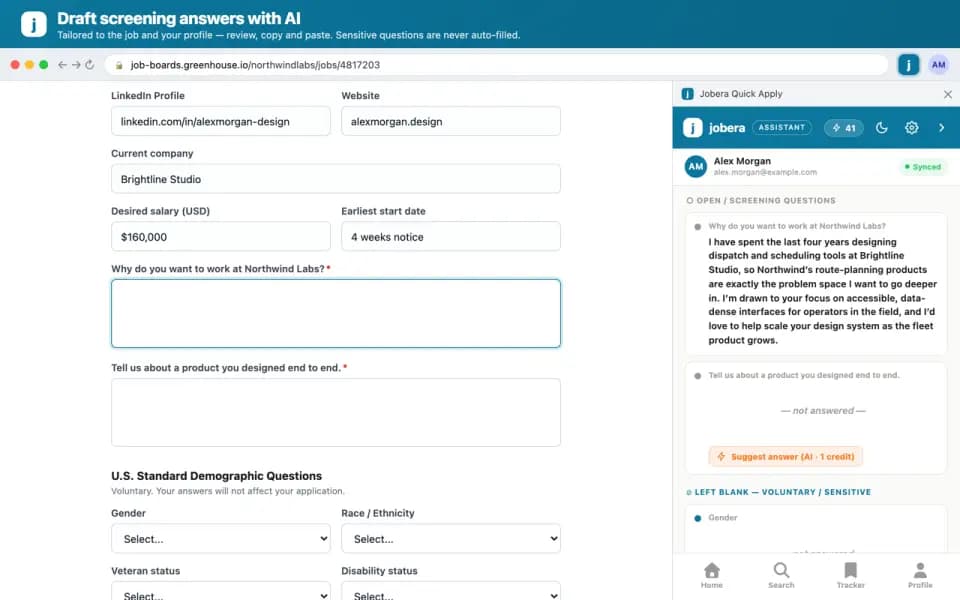
AI screening answers
Draft answers to open screening questions with AI, then edit the draft and paste it yourself.
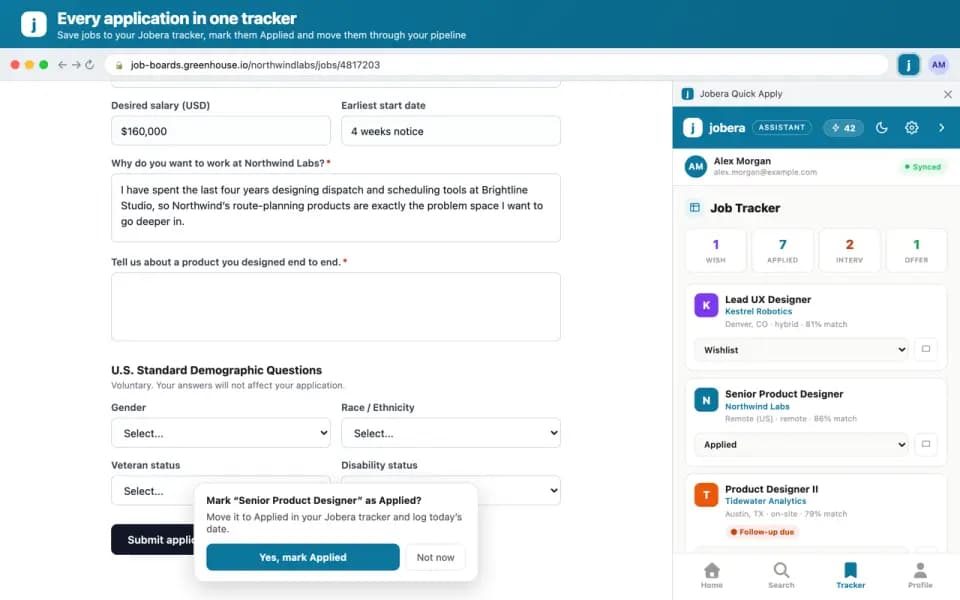
Save to your tracker
Save the job to your Jobera Job Tracker in one click and keep your follow-ups organized.
See it on a real application
Three steps, start to finish
- 1
Add it to Chrome
Install Jobera Quick Apply from the Chrome Web Store and sign in with your free Jobera account.
- 2
Open an application
Open a job application and click the Jobera icon to open the side panel.
- 3
Autofill, review, submit
Autofill the form, check the fields marked for review, then submit the application yourself.
Frequently asked questions
Something else? contact@jobera.com
Is Jobera Quick Apply free?
Yes. The extension is free and needs a free Jobera account. AI answers to screening questions use AI credits from your plan; the Free plan includes a monthly allowance.
Does the extension submit applications for me?
No. It never submits an application. You review everything and click Submit yourself.
Which sites does it work on?
It fills forms with high accuracy on Greenhouse, Lever, Workable, Breezy HR and Recruitee. On other career sites it works in best-effort mode after you allow access to that site.
Does it fill sensitive questions?
No. Voluntary and sensitive questions such as gender, ethnicity, disability and veteran status are never filled.
Which browsers are supported?
Chrome 114 or newer on desktop, plus Chromium browsers that install from the Chrome Web Store, such as Edge and Brave.